Stream Vessel Recording Backup and Archive
Browse, play, download and share your Webex recordings, or every host's in your company, and archive them automatically to your own S3-compatible storage such as AWS S3 or MinIO. Free up Webex storage by moving archived recordings to the recycle bin.
Stream Vessel Recording Backup and Archive
Browse, play, download and share your Webex recordings, or every host's in your company, and archive them automatically to your own S3-compatible storage such as AWS S3 or MinIO. Free up Webex storage by moving archived recordings to the recycle bin.
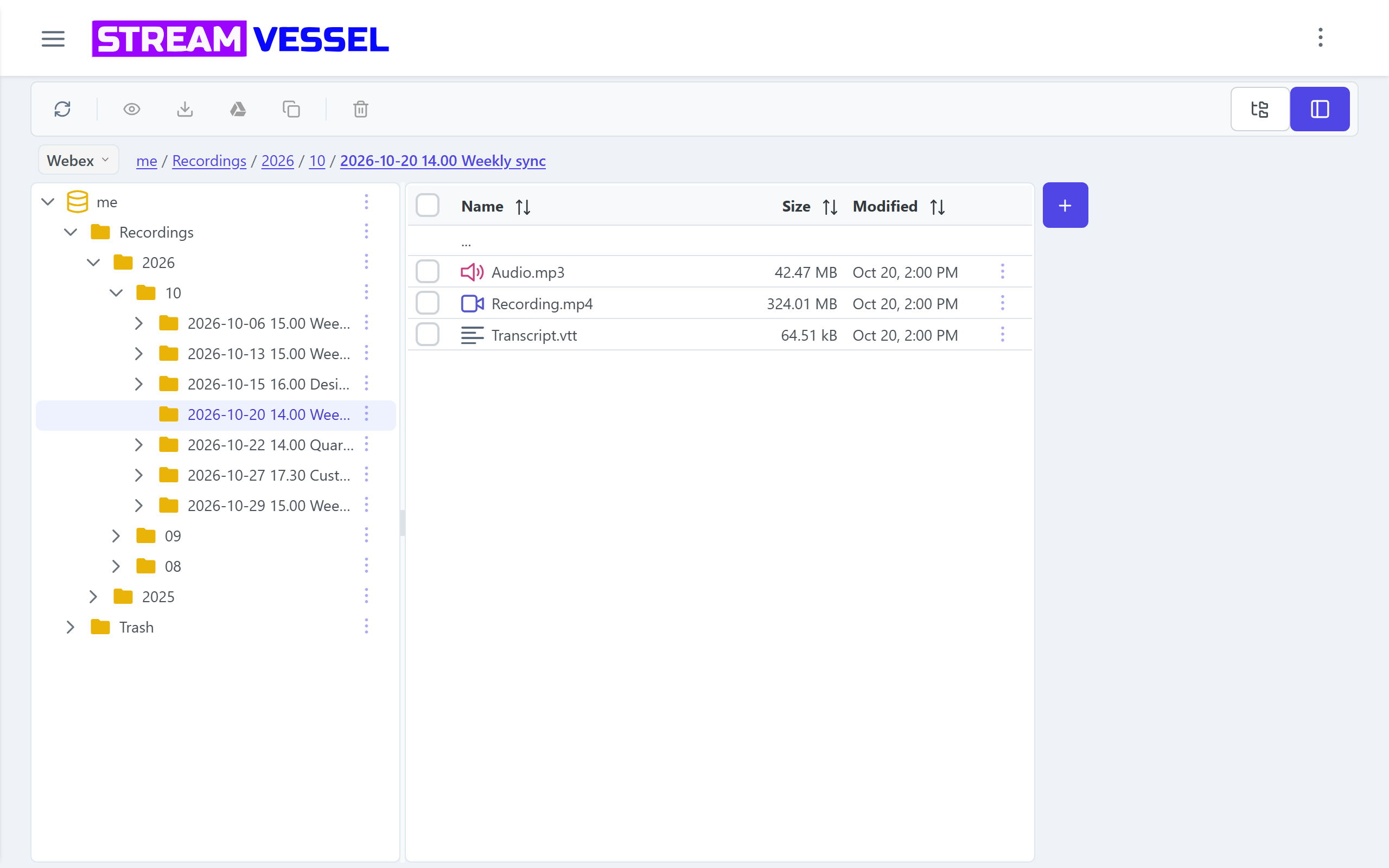
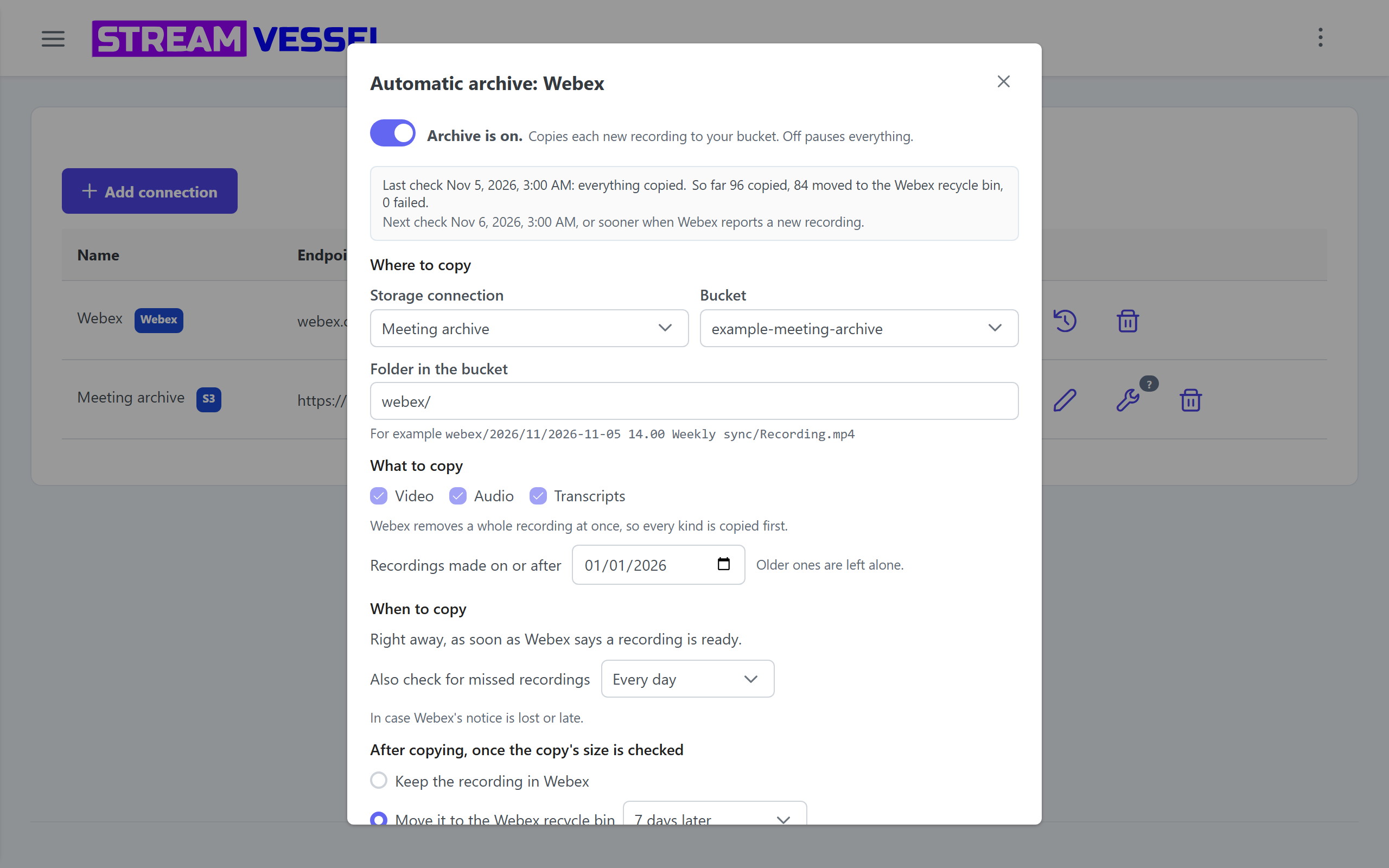
Stream Vessel is a file manager for your own cloud storage by DEMYANNA s.r.o. It adds your Webex cloud recordings: browse by host and date, play, download, share, or copy them to your own S3-compatible bucket. Automatic archive copies each new recording to your bucket, then can move it to the Webex recycle bin or delete it. We do not store recordings or use them for ads or AI training.
Requirements
- My recordings: a Webex Meetings license with cloud recording. No admin role needed.
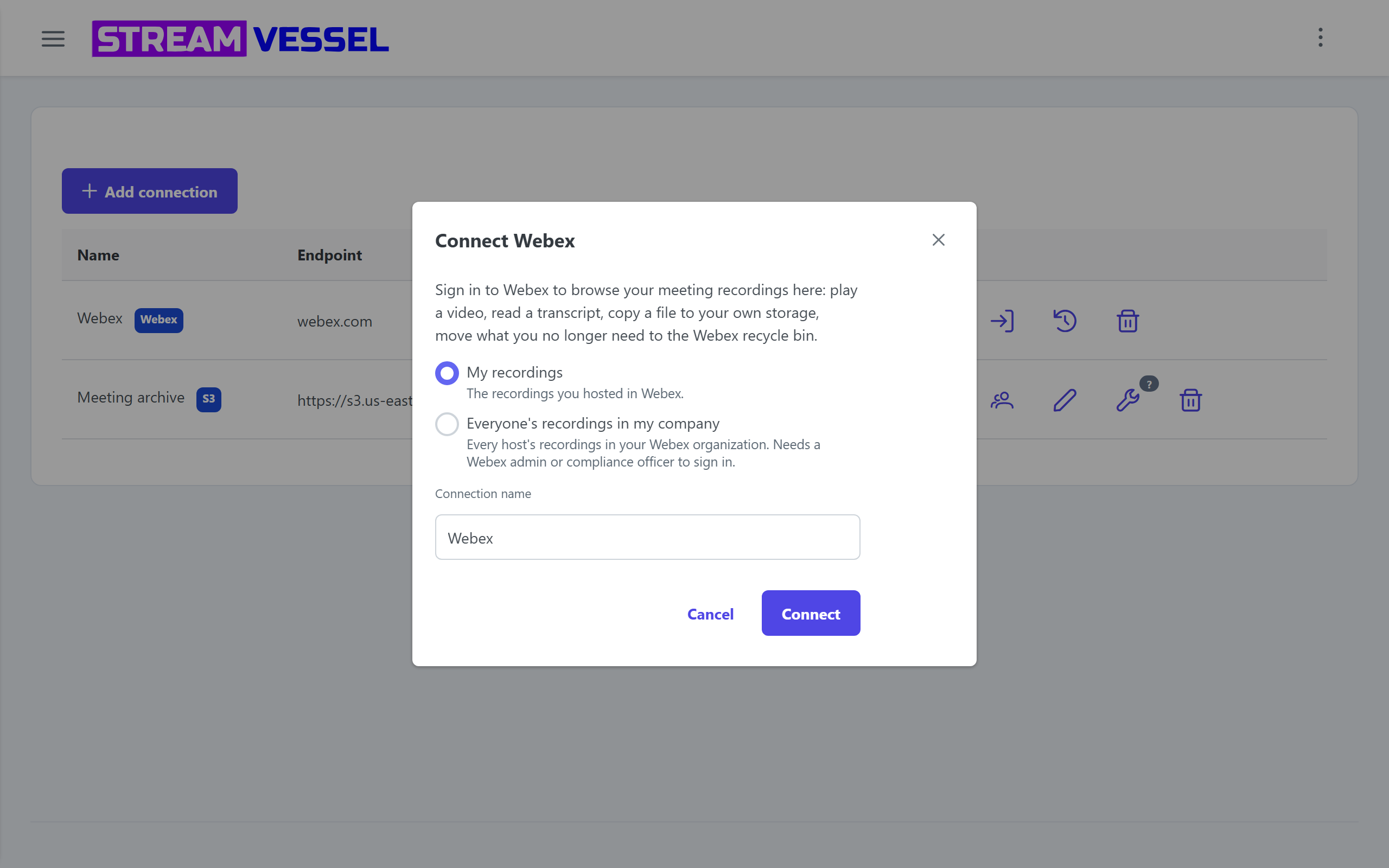
- Everyone's recordings in my company: a Webex full administrator or compliance officer of your organization.
- A free Stream Vessel account.
- For archiving: your own S3-compatible bucket, such as AWS S3 or MinIO.
Get started
- Sign in at https://app.streamvessel.com
- Connections > Add connection > Webex. Pick a mode, sign in to Webex and accept.
- To archive: add your bucket with Add connection, then click Automatic archive on the Webex connection.
Free during the beta: https://streamvessel.com/pricing
Support


Categories
Stream Vessel is a file manager for your own cloud storage by DEMYANNA s.r.o. It adds your Webex cloud recordings: browse by host and date, play, download, share, or copy them to your own S3-compatible bucket. Automatic archive copies each new recording to your bucket, then can move it to the Webex recycle bin or delete it. We do not store recordings or use them for ads or AI training.
Requirements
- My recordings: a Webex Meetings license with cloud recording. No admin role needed.
- Everyone's recordings in my company: a Webex full administrator or compliance officer of your organization.
- A free Stream Vessel account.
- For archiving: your own S3-compatible bucket, such as AWS S3 or MinIO.
Get started
- Sign in at https://app.streamvessel.com
- Connections > Add connection > Webex. Pick a mode, sign in to Webex and accept.
- To archive: add your bucket with Add connection, then click Automatic archive on the Webex connection.
Free during the beta: https://streamvessel.com/pricing